Role of tracking pixels: what Australian marketers must know
. By Ads Daddy.

TL;DR:
- Tracking pixels send event data to servers when pages load or emails open, enabling marketers to measure conversions and build audiences. In Australia, pixels for non-essential tracking require explicit, informed user consent to ensure compliance with privacy laws. A hybrid setup with client-side pixels and server-side APIs, paired with proper consent management, offers accurate measurement while respecting privacy.
A tracking pixel is a tiny code element — a 1×1 image or JavaScript snippet — that fires an HTTP request the moment a page loads, an email opens, or a conversion happens, sending event signals to a server so you can measure behaviour and retarget with precision. For Australian marketers in 2026, the single smartest next step is pairing explicit consent gating with a hybrid client-plus-server approach, so your measurement survives ad blockers, browser restrictions, and the OAIC's expectations.
Three business benefits, one legal must:
- Attribution: pixels connect ad spend to real conversions, so you know which campaigns actually pay off.
- Retargeting: pixel audiences let you serve ads to people who visited your site, viewed a product, or abandoned a cart.
- Analytics: page-level engagement signals (scroll depth, video plays, button clicks) feed your reporting dashboards.
- Legal must: under Australian privacy expectations, non-essential tracking pixels require explicit, informed consent before they fire. No consent gate, no pixel. Full stop.
Table of Contents
- What exactly is a tracking pixel?
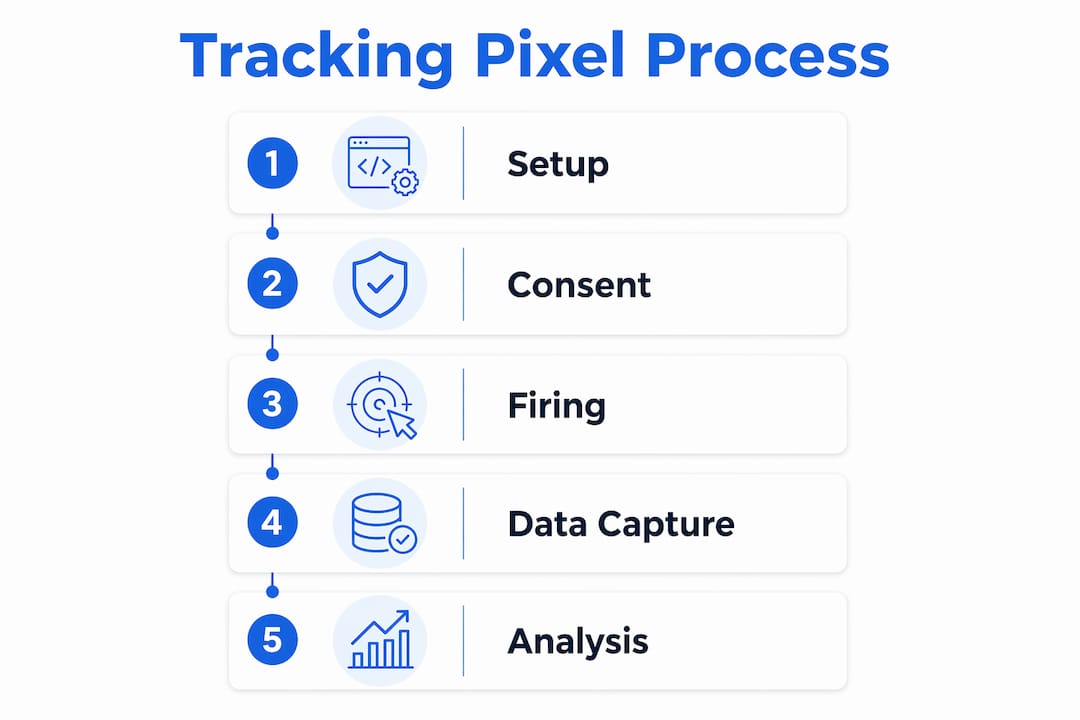
- How a tracking pixel actually fires
- What marketers actually use pixels for
- Privacy, consent, and what Australian law actually expects
- Client-side, tag manager, server-side, or hybrid?
- Why pixels undercount and misattribute
- The audit and compliance checklist every Australian marketer needs
- Moving from pixel-only to a hybrid, identity-first stack
- Key takeaways
- The thing most marketers get wrong about pixels
- Adsdaddy helps Australian businesses get pixel tracking right
- Useful sources
- FAQ
What exactly is a tracking pixel?
A tracking pixel is an invisible 1×1 image file or JavaScript snippet embedded in a webpage or email. When a browser or email client loads it, the pixel triggers an HTTP request to a remote server. That request carries metadata: device type, browser, IP address, referrer URL, timestamps, and session identifiers when present.
Three main variants exist:
- Image (1×1) pixel: the original format. A transparent GIF or PNG that loads silently and pings a server. Still used in email tracking.
- JavaScript pixel: the dominant web format. Loads a script that can capture richer event data (clicks, form submissions, scroll depth) and append click IDs like
fbclidorgclidto the request. - Server-side pixel: not a browser-fired pixel at all. A server-to-server API call (Meta's Conversions API, Google's Enhanced Conversions) that sends event data directly from your backend, bypassing the browser entirely.
The distinction between a pixel and a cookie matters. A pixel is a signal transmitter — it sends data to a server. A cookie is a local identifier — it stores data on the user's device. When third-party cookies are blocked, a pixel can still fire, but it loses the ability to reliably reconnect cross-session identity on its own.
Three tools every Australian marketer should know:
- Meta Pixel: captures Facebook and Instagram ad events (page views, purchases, leads) and feeds the Meta ad platform for optimisation and retargeting.
- Google Tag Manager (GTM): a tag management system that lets you deploy and govern multiple client-side pixels from one interface, with consent triggers built in.
- Cookiebot: a consent management platform (CMP) that programmatically blocks non-essential pixels until a user gives explicit consent — critical for OAIC compliance.
How a tracking pixel actually fires
Understanding the chain helps you see exactly where data gets lost or preserved.
- Page or email loads. The browser or email client requests the page HTML or renders the email body.
- Pixel triggers. The 1×1 image tag or JavaScript snippet is encountered and executed.
- Browser issues an HTTP request. The request goes to the pixel vendor's server, carrying the URL, referrer, user agent, IP address, and any click IDs appended to the landing page URL (e.g.
fbclid,gclid). - Server logs the event. The vendor's server records the request, timestamps it, and begins matching it to a known user or campaign parameter.
- Identity matching. The platform attempts to match the event to a user profile using cookies (if available), click IDs, hashed email addresses, or device fingerprints.
- Event appears in the dashboard. Matched events flow into your ad platform or analytics tool as attributed conversions, audience signals, or engagement metrics.
For attribution modelling to hold up, deduplication is non-negotiable. When you run a pixel alongside a server-side API, both may report the same conversion. Shared event IDs prevent double-counting: the platform uses the ID to recognise duplicates and count the event once.
Click ID persistence is the other critical piece. If a user clicks your Facebook ad, lands on your site, and converts two days later, the fbclid must survive in your session storage long enough to be sent with the server event. Lose the click ID, lose the attribution.
What marketers actually use pixels for
Pixels are the invisible link between user behaviour and what businesses measure. The practical use cases map directly to revenue.
- Conversion tracking: a purchase, lead form submission, or phone call fires a pixel event that tells your ad platform the campaign worked. This feeds optimisation algorithms and cost-per-acquisition reporting.
- Retargeting audiences: the Meta Pixel and GTM-managed tags build audiences from product page visitors, cart abandoners, and checkout starters. These audiences power retargeting campaigns that consistently outperform cold traffic.
- Email open tracking: a 1×1 image pixel in an email body pings a server when the email renders, logging an "open." Apple Mail Privacy Protection has made this directional rather than deterministic — treat open rates as a signal, not a fact, and corroborate with click and downstream conversion data.
- Page-level analytics: scroll depth, time on page, video play events, and button clicks all flow through pixel events. These signals remain useful even when cross-site identity is degraded, because they don't require linking sessions across domains.
- Audience segmentation: pixel data feeds audience targeting models that segment users by intent, recency, and product interest — the foundation of any serious remarketing programme.
Cookiebot's role here is consent gating: it sits in front of all non-essential pixels and only allows them to fire after a user gives explicit consent. Without that gate, your Meta Pixel and GTM tags fire on every visitor regardless of preference, which is where the legal risk lives.

Privacy, consent, and what Australian law actually expects
The Office of the Australian Information Commissioner (OAIC) is clear: consent is required for non-essential individual-level tracking. That means advertising pixels, retargeting tags, and any pixel that collects data beyond what's strictly necessary to deliver the service cannot fire until a user has given explicit, informed consent.
What that means in practice:
- Transparency first: your privacy policy must explain what pixels you use, what data they collect, and why. Vague language like "we use third-party analytics" doesn't cut it.
- Consent before firing: a CMP like Cookiebot must programmatically block non-essential pixels until a positive consent signal is recorded. Pre-ticked boxes or implied consent don't meet the standard.
- Record-keeping: log what consent was given, when, and for which purposes. If a regulator asks, you need to produce that record.
- Data minimisation: only collect what you need. If a pixel sends full IP addresses when hashed identifiers would do, that's unnecessary exposure.
Cross-border considerations: many Australian businesses run Meta and Google campaigns, meaning user data flows to US-based servers. GDPR applies if any of your users are in the EU; CCPA applies if you have California users. Both impose stricter consent requirements than Australian law in some respects. The safest approach is to build your consent framework to the highest applicable standard, then apply it consistently.
Pro Tip: Run a pixel inventory audit every quarter. List every pixel on your domain, its vendor, its purpose, the data it sends, and the legal basis for firing it. This document is your first line of defence if the OAIC comes knocking.
Client-side, tag manager, server-side, or hybrid?
Choosing the right architecture is a trade-off between speed, accuracy, privacy control, and developer effort.

| Approach | Speed to deploy | Resilience to blockers | Privacy control | Developer effort |
|---|---|---|---|---|
| Client-side pixel | Fast | Low | Low | Minimal |
| Google Tag Manager | Fast | Low | Medium (with CMP) | Low |
| Server-side (CAPI/Events API) | Slow | High | High | Significant |
| Hybrid (pixel + server API) | Medium | High | High | Medium–High |
Breaking down each option:
- Client-side pixel: paste a snippet, done. Great for capturing real-time UI signals like page views and button clicks. Vulnerable to ad blockers, Intelligent Tracking Prevention (ITP), and consent gaps if not gated properly.
- Google Tag Manager: centralises all your client-side tags and lets you attach consent triggers so pixels only fire after Cookiebot (or another CMP) records a positive signal. Still client-side, so still exposed to blockers.
- Server-side (CAPI/Events API): your server sends authenticated API calls directly to Meta or Google, bypassing the browser. Reliable, deterministic, and far better for identity matching and deduplication. Needs backend development work.
- Hybrid best practice: run the pixel for real-time engagement signals and the server API for deterministic attribution. Share event IDs between both so the platform deduplicates correctly. This is the architecture that survives 2026's privacy environment.
Cookiebot integrates with GTM to act as the consent gatekeeper: GTM tags are set to fire only when Cookiebot's consent variables return a positive value for the relevant category. No consent, no pixel. That's how you meet OAIC expectations technically.
Why pixels undercount and misattribute
Pixels are not perfect. Knowing their failure modes stops you from making bad decisions on bad data.
- Ad blockers: browser extensions like uBlock Origin block pixel requests before they reach the server. A meaningful share of your audience, particularly tech-savvy users, simply won't appear in your pixel reports.
- Intelligent Tracking Prevention (ITP): Safari's ITP limits how long cookies persist and restricts cross-site tracking. Pixels still fire, but they can't reliably link sessions across days or domains without server-side support.
- Apple Mail Privacy Protection: pre-fetches email content including tracking pixels, inflating open rates and making them unreliable as a deterministic signal.
- Cross-domain identity loss: when third-party cookies are blocked, a pixel firing on your site can't connect that session to the same user's activity on another domain. Attribution breaks.
- Sample bias: pixel reports reflect only the users whose requests got through. Heavy ad-blocker users, privacy-browser users, and users who declined consent are systematically absent. Your data skews toward a subset of your actual audience.
The practical result: pixel-only metrics create blind spots. Conversion counts are understated, attribution is incomplete, and audience sizes are smaller than reality. That's why lookback window settings and server-side data reconciliation matter — they help you see what the pixel missed.
Pixels still do page-level engagement well. Scroll depth, time on page, and button click events don't require cross-site identity. Even in a privacy-restricted environment, these signals remain accurate and useful for on-site optimisation.
The audit and compliance checklist every Australian marketer needs
Run this today. It takes less time than you think, and it's the difference between a clean measurement stack and a legal liability.
- Inventory every pixel: list each pixel by domain, vendor, purpose, data transmitted, and legal basis. Include Meta Pixel, GTM tags, analytics tags, and any third-party scripts that fire HTTP requests.
- Implement a CMP: deploy Cookiebot or an equivalent CMP and connect it to GTM so non-essential pixels are blocked until consent is recorded. Test it by checking network requests in an incognito browser before accepting cookies.
- Adopt hybrid tracking: capture
fbclidandgclidon landing, persist them server-side, and send CAPI/Events API calls for all high-value conversion events. Use shared event IDs for deduplication. - Hash PII before sending: never send raw email addresses or phone numbers in pixel parameters. Hash them (SHA-256) before transmission. This applies to both client-side and server-side events.
- Set retention windows: define how long you store pixel event logs and audience data. Align with Australian privacy expectations and document the policy.
- Monitor for discrepancies: compare ad platform conversion counts against your server records weekly. A gap of more than 10–15% signals a measurement problem worth investigating.
- Delete on request: have a process to honour data deletion requests. If a user asks for their data to be removed, that includes pixel event logs tied to their identifier.
Pro Tip: Prioritise server-side migration for your highest-value conversion events first — purchases and qualified leads. These are the events that directly feed your ad platform's bidding algorithm. Getting them right has the biggest impact on campaign performance and the biggest legal exposure if they're wrong.
Moving from pixel-only to a hybrid, identity-first stack
This is where measurement gets future-proof. The migration isn't as scary as it sounds.
- Map your key conversion events. List every event that matters for bidding and reporting: purchase, lead, add-to-cart, subscription. These are your migration priorities.
- Capture click IDs on landing. When a user arrives via a paid ad, read the
fbclidorgclidfrom the URL and store it in a first-party session variable or your CRM. - Persist identifiers server-side. When the conversion happens, retrieve the stored click ID and any hashed customer identifiers (email, phone) from your backend.
- Generate a unique event ID. Create a UUID for each conversion event. Send this ID with both the browser pixel event and the server API call.
- Send the server API event. POST the event to Meta's Conversions API or Google's Enhanced Conversions endpoint with the event ID, hashed identifiers, and click ID.
- Validate deduplication. Check your ad platform's event manager to confirm the platform is receiving both signals and deduplicating correctly. Event match quality scores above 6/10 indicate reliable matching.
- Reconcile attribution. Compare server event counts against ad platform reports and your internal records. Investigate gaps; they usually point to click ID loss or consent configuration issues.
A practical scenario: an Australian e-commerce retailer running Meta ads found that their pixel-only setup was underreporting actual purchases due to loss from Safari's ITP and ad blockers — the rest were lost to Safari's ITP and ad blockers. After implementing CAPI with shared event IDs and click ID persistence, reported conversions aligned closely with their Shopify order data. Ad platform bidding improved because the algorithm had accurate signal to work with.
Pro Tip: Before going live with server-side events, use your ad platform's test event tool to validate that events are arriving with the correct parameters. Check event match quality scores and fix any missing identifiers before switching off pixel-only reporting.
Analytics investment pays off: marketing analytics consistently drives better ROI when measurement is accurate and complete.
Key takeaways
Tracking pixels are signal transmitters, not a complete measurement solution — their real power comes from pairing them with server-side APIs, proper consent gating, and a regular audit process.
| Point | Details |
|---|---|
| Pixels are signal transmitters | They send event data to servers; cookies store identifiers locally — both serve different roles. |
| Consent is non-negotiable in Australia | OAIC guidance requires explicit consent before non-essential pixels fire; use a CMP like Cookiebot. |
| Hybrid architecture wins | Run client-side pixels for real-time signals and server-side APIs for deterministic attribution with shared event IDs. |
| Audit your pixel stack now | Inventory every pixel by vendor, purpose, and legal basis; monitor for discrepancies weekly. |
| Adsdaddy handles the hard parts | Adsdaddy sets up CMP gating, server-side migration, and campaign optimisation for Australian businesses. |
The thing most marketers get wrong about pixels
Most businesses treat pixels as a set-and-forget install. Paste the snippet, tick the box, move on. That's the mistake.
Pixels are raw event signals. They need attribution modelling, identity stitching, and consent architecture to become anything useful. A pixel firing on a non-consenting user isn't just a compliance risk — it's bad data feeding your bidding algorithm. And bad data in means bad decisions out.
The shift worth making in 2026 isn't from pixels to "no pixels." It's from browser-only, consent-blind tracking to a hybrid stack where server-side events carry the attribution weight and pixels handle real-time UI signals. That combination survives blockers, respects privacy, and gives your ad platform the clean signal it needs to optimise.
The businesses Adsdaddy works with that get this right see their conversion tracking align with actual revenue, their retargeting audiences grow accurately, and their ad spend stop leaking into under-reported campaigns. The ones that don't are optimising on fiction.
Get the architecture right first. Everything else follows.
Adsdaddy helps Australian businesses get pixel tracking right
Pixel audits, CMP setup, and server-side migration are exactly what Adsdaddy does for Australian businesses running paid campaigns on Meta, Google, and beyond. Most clients come to us with a pixel stack that's either non-compliant, leaking conversions, or both.

Adsdaddy audits your existing pixel setup, configures Cookiebot consent gating with GTM, implements CAPI or Enhanced Conversions for your highest-value events, and reconciles your attribution so your ad spend is working on real data. No guesswork, no compliance gaps.
If your measurement stack isn't built for 2026's privacy environment, your campaigns are optimising on incomplete data. Book a pixel audit with Adsdaddy and find out exactly what you're missing.
Useful sources
For technical and legal follow-up, these are the primary references behind this article:
- OAIC guidance on privacy and tracking: the Office of the Australian Information Commissioner publishes guidance on consent obligations for online tracking. Start at oaic.gov.au for the current position on non-essential data collection.
- Meta Conversions API documentation: Meta's developer docs cover CAPI implementation, event deduplication, and event match quality scoring. Essential reading for any server-side migration.
- Google Tag Manager consent mode documentation: Google's GTM docs explain how to configure consent triggers and integrate with CMPs for compliant tag firing.
- Cookiebot documentation: covers CMP setup, GTM integration, and consent record-keeping — directly relevant to OAIC compliance workflows.
- Pandectes — tracking pixels explained: a clear technical explainer on pixel types, HTTP request flows, and the distinction between pixels and cookies.
- Trackingplan — pixel tracking and marketing accuracy: covers use cases, limitations, and the shift toward server-side measurement for 2026.
FAQ
What does a tracking pixel do?
A tracking pixel fires an HTTP request when a page loads or an email opens, sending event data (device type, referrer, timestamps, identifiers) to a server so marketers can measure conversions, build retargeting audiences, and track engagement.
Are tracking pixels legal in Australia?
Pixels used for non-essential tracking — advertising, retargeting, analytics — require explicit, informed consent under OAIC guidance. Firing these pixels without consent gating is a compliance risk under Australian privacy law.
Do tracking pixels still work in 2026?
Client-side pixels are degraded by ad blockers, Safari's ITP, and Apple Mail Privacy Protection. They still capture page-level engagement signals reliably, but deterministic attribution requires a hybrid approach: pixel plus server-side API with shared event IDs.
Why are tracking pixels controversial?
Pixels collect device metadata and behavioural signals without most users realising it, raising transparency and consent concerns. When fired without explicit consent, they breach privacy expectations and, in Australia, OAIC guidance on non-essential tracking.
How does Adsdaddy approach pixel compliance?
Adsdaddy audits existing pixel stacks, implements CMP consent gating via Cookiebot and GTM, and migrates high-value conversion events to server-side APIs — giving Australian businesses accurate measurement that meets OAIC expectations.