Instagram Reels Ads: Setup, Specs and Creative That Converts
. By Ads Daddy.

Your customer is mid-scroll, thumb loaded, ready to flick past anything boring. A Reels ad gets about three seconds to earn a pause. Nail those seconds and you're in front of an audience that's already watching video, full screen, sound on. Miss them and you've paid to be swiped.
This guide covers what Reels ads are, the specs to hit, how to build one in Meta Ads Manager, what shapes the cost, and how to judge whether it's working. Short on time? Start with the TL;DR.
TL;DR
- Reels ads are full-screen vertical (9:16) video ads that sit between organic Reels, with a "Sponsored" label. People can like, comment, share, save or skip them.
- Build for 9:16 at 1080×1920 or higher, keep text out of the top and bottom zones, and add captions and sound.
- Hook inside three seconds. Handheld, native-looking footage usually beats glossy studio work.
- Cost is set by auction, so it moves with your objective, audience and creative. Judge it by cost per result, not views.
- Reels work best when you have a clear offer, a fresh video supply and tracking that's actually switched on.
Table of Contents
- What Instagram Reels ads actually are
- Instagram Reels ad specs: the cheat sheet
- How to set up a Reels ad in Meta Ads Manager
- Creative that stops the thumb
- What Reels ads cost
- How to measure Reels ad performance
- When Reels ads make sense (and how to get the most from them)
- Our perspective
- Want us to run your Reels ads?
- Common Reels ad mistakes (and the quick fixes)
- FAQ
What Instagram Reels ads actually are
A Reels ad is a short, vertical, full-screen video that shows up between organic Reels. Someone opens the Reels viewer (from the Reels tab, Explore or a Reel in their feed), swipes through content, and every so often your ad slots in. It's marked "Sponsored" and looks a lot like the content around it.
That's the whole trick. It isn't an interruption that looks like an ad. It's an ad that behaves like a Reel.
Viewers can interact with it the same way they would with anything else in the viewer: like, comment, share, save, or swipe away. Treat those interactions as feedback, not vanity. A comment like "where do I get this?" is a buying signal. Reply fast.

Think of it like a food truck at a footy match. The crowd's already there, already hungry, already in a good mood. You don't need to drag anyone in. You need a smell good enough to make them stop.
Reels ads vs Stories vs Feed
- Feed ads: people are scanning mixed content, photos and video. Good for carousels, offers and detail.
- Stories ads: quick, tap-through, often used for retargeting and time-sensitive pushes.
- Reels ads: discovery mode. People are in entertainment mood and open to something new, which makes it a strong place to meet cold audiences.
You don't have to pick one. Most accounts that do well run Reels as part of a mix, with Feed and Stories picking up warm audiences. If you want the wider picture, our Instagram ads strategy guide shows how the placements work together.
Instagram Reels ad specs: the cheat sheet
Get the specs wrong and Instagram will crop, squash or cover your best frame with its own buttons. Here's the version to pin above your editing desk.
| Spec | What to use |
|---|---|
| Aspect ratio | 9:16 (vertical, full screen) |
| Resolution | 1080×1920 minimum, 1440×2560 for best quality |
| File format | MP4 or MOV |
| Video compression | H.264, with stereo AAC audio |
| Top safe zone | Keep text and logos out of roughly the top 14% |
| Bottom safe zone | Keep text and logos out of roughly the bottom 35% |
| Sides | Leave around 6% clear on each side |
Specs get updated, so always double-check the current figures for file size and maximum length inside Ads Manager when you upload. The principle doesn't change though: shoot vertical, shoot sharp, and respect the safe zones.
Why the safe zones matter
The bottom third of a Reel is crowded. Your caption, the account name, the call-to-action button and the audio label all live there. Put your offer text in that zone and it'll sit under the interface like a sticker under a coffee mug.
A quick fix: shoot your subject in the middle of the frame, and put on-screen text in the upper-middle. Check it on a real phone before you publish, not just on your editing screen.
Length: short wins most days
Ads can technically run longer, but attention doesn't. For most local and e-commerce offers, 15 to 30 seconds is a sensible starting point. One idea. One promise. One next step.
How to set up a Reels ad in Meta Ads Manager
Here's the process, no fluff.
- Open Ads Manager and click Create. Start a new campaign.
- Pick the objective. Match it to what you want. Sales or leads if you want customers, traffic if you're driving visits to a page, awareness if you're building reach.
- Set budget and audience. Start with a budget you can afford to leave running long enough to learn from, rather than switching on and off daily.
- Choose placements. Let Meta's automatic placements run, or go manual and tick Instagram Reels so you can see how it performs on its own.
- Upload your 9:16 video. Add primary text and headline. Write the first line like it's a text message to a mate.
- Add a call to action. "Shop now", "Learn more", "Sign up", whichever fits the offer.
- Confirm your tracking. Check your Meta Pixel (and conversions setup) is firing before you spend a cent. No tracking means no ROI story.
- Review and publish. Meta checks ads before they go live, so build in a little buffer before any launch.
Two habits save money here. First, name your ads clearly so you can read results later. Second, upload two or three different videos in one ad set rather than a single hero ad. Let the auction show you which one earns its keep. We go deeper on this in our piece on ad testing for smarter campaigns.
The policy bit nobody enjoys
Reels ads follow Meta's advertising standards, same as any other placement. If you're in finance, health, weight loss, or anything with sensitive claims, be extra careful with wording and before-and-after visuals. A rejected ad costs you days. Keep claims honest and specific, and make sure the landing page matches the promise in the video.
Creative that stops the thumb
Creative is the lever you control most. Budget gets you the stage. The video gets you the applause.
1. Hook in three seconds
Open mid-action. Show the result, ask the question, or say something slightly outrageous. Skip the logo sting. Nobody has ever stopped scrolling for a spinning logo.
Some hooks that work across industries:
- The problem hook: "Your Shopify store is getting clicks but no sales. Here's why."
- The result hook: show the finished thing first, then rewind.
- The callout hook: "Plumbers in Brisbane, stop paying for junk leads."
- The curiosity hook: "I changed one line in this ad and cost per lead dropped."
Only use that last one if it's true. Never invent results.
2. Look native, not like a telly ad
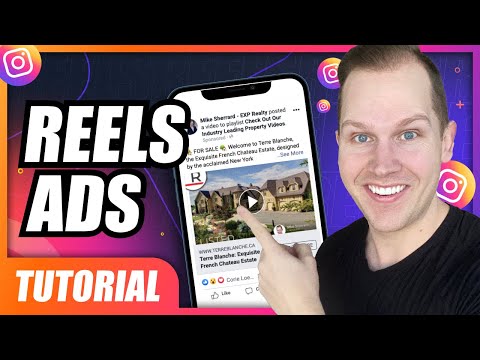
Reels is a place for phone-shot, handheld, natural-light video. A slick studio production can feel out of place between a mate's holiday clip and a dog doing something daft. Real people, real environments, real voices. Polish is optional. Clarity isn't.
That doesn't mean sloppy. Good sound, steady-enough framing and clean captions still matter.
3. Sound on, captions on
Reels is a sound-friendly environment, but plenty of people watch in a waiting room or on the train. So do both. Use a voiceover or music and burn in captions. Meta's own creative research, reported by Media Brief, found that ads combining speech and music were more likely to rank highly for brand interest and purchase intent.
4. One message, one action
If the video tries to sell five things, it sells none. Pick one promise. Then give one clear next step: tap, book, shop, enquire.
5. Refresh before it gets stale
Reels audiences burn through content fast. When your frequency creeps up and your results slide, it's usually the creative that's tired, not the audience. Keep a pipeline of new cuts. Same offer, new hook. For more on this, see our guide to optimising ad creatives for ROI and the video ad samples with copyable scripts.
What Reels ads cost
Here's the honest answer: there's no fixed price. Reels ads run on an auction. What you pay depends on:
- Your objective. Awareness is usually cheaper per thousand views than conversions, but it's not the same job.
- Your audience. Narrow, in-demand audiences cost more than broad ones.
- Competition. Busy retail periods like Black Friday and the lead-up to Christmas push prices up.
- Creative quality. Ads people watch and engage with tend to be rewarded with better delivery.
- Your offer and landing page. A cheap click that goes nowhere isn't cheap.
You'll see benchmark figures floating around the web, and they vary a lot by industry and country. Treat them as a rough compass at best. Your own account data beats any average.
A smarter way to think about it: work backwards from your numbers. If a customer is worth $400 in gross profit and you can afford to spend $100 to win one, your Reels ad has a clear target. Everything else is testing toward that number.
How to measure Reels ad performance
Views are nice. Banked revenue is nicer. Here's the order of priority.
- Cost per result. Cost per lead, per purchase or per booking, depending on your objective. This is the number that pays the bills.
- Return on ad spend. Revenue divided by spend. Essential for e-commerce.
- Hook rate. The share of people who watch past the first few seconds. A weak hook rate means your opening needs rewriting.
- Hold rate and average watch time. Do people stay for the middle? If not, the video drags.
- Click-through rate. Are people interested enough to act?
- Frequency. How many times the same person has seen your ad. Rising frequency plus falling results means refresh.
- Comments and saves. Qualitative gold. Read them.
Break results out by placement in Ads Manager so you can see Reels on its own rather than blended with Feed and Stories. Then compare against your goal, not against other advertisers. Our rundown of the 10 Instagram ads metrics to track walks through each one, and the ad performance improvement guide shows what to do when a number looks off.
Don't skip the tracking check
If your Pixel or conversions setup is broken, Meta can't learn who your best customers are, and you can't see what's working. Test it before launch. It's boring. It's also the difference between a campaign and a guess.
When Reels ads make sense (and how to get the most from them)
Reels ads fit best when:
- You're selling something that looks good, or is easy to explain, in motion. Products, transformations, demos, before-and-afters (where policy allows), behind-the-scenes.
- You want to reach people who don't know you yet.
- You can produce regular fresh video, even simple phone clips.
- You have a clear offer and a landing page that backs it up.
- Your tracking is in place so you can learn quickly.
To get the most from them, pair Reels with retargeting. Reels introduces you, then Feed and Stories ads follow up with proof, reviews and an offer. Think of it like dating: Reels is the first coffee, not the proposal.
Service businesses can use them too. A tradie showing a job from start to finish, an accountant answering one tax question in 20 seconds, a finance broker explaining one step of the application. Local relevance plus a clear call to action goes a long way.
Our Instagram advertising workflow shows how to slot Reels into a full process, from creative through to lead handling.
Our perspective
Here's what we see over and over. Businesses lose money on Reels ads not because Reels don't work, but because the ad is a repurposed horizontal TV spot with a logo slapped on the end.
We build Reels ads like we'd build a conversation. A hook that earns attention, a single idea, a clear next step, and tracking underneath so every dollar can be traced to a lead or a sale. Then we test, cut what's flat, and scale what isn't.
That's why we manage Meta, Google, YouTube, LinkedIn and Microsoft campaigns hands-on, with integrated tracking and lead delivery. You shouldn't have to learn Ads Manager to get a return from it. You should be running your business while we run the ads.
If a Reels ad isn't pulling its weight, we want to know why within days, not months. Creative fatigue, a weak hook, a landing page that doesn't match, a tracking gap. Every one of those is fixable, and fixing them is the job.
Adrian
Want us to run your Reels ads?
If building, testing and tracking Reels ads sounds like a second full-time job, that's because it is. We create and manage campaigns across Meta (Facebook and Instagram), Google, YouTube, LinkedIn and Microsoft, with the tracking and lead delivery set up so you can see what your ad budget is doing. You don't need to learn the platforms. We handle that.
See how we work on our Meta Ads and multi-platform management page, or if leads are your goal, take a look at our lead generation service.
Common Reels ad mistakes (and the quick fixes)
- Horizontal video cropped to vertical. Shoot vertical from the start.
- Text in the danger zone. Keep it out of the bottom third and the very top.
- Slow intros. Cut the first two seconds. Then cut two more.
- No captions. Add them. Always.
- No tracking. Check the Pixel before you spend.
- Judging on views alone. Judge on cost per result.
- Running one creative until it dies. Rotate new hooks regularly.
- Landing page mismatch. If the video promises a discount, the page must show it in the first screen.
FAQ
How much does it cost to advertise on Instagram Reels?
There's no fixed rate, because placement is sold by auction. Your cost depends on your objective, audience, competition and how well people respond to the creative. Set a budget based on what a customer is worth to you, then use your own results to refine it.
Can I choose to show my ads only on Reels?
Yes. In Ads Manager you can use manual placements and select Instagram Reels, or let automatic placements spread the budget across Feed, Stories and Reels. Many advertisers run Reels separately at first so they can see its results clearly.
What size should an Instagram Reels ad be?
Use vertical 9:16 video, at least 1080×1920 pixels, saved as MP4 or MOV. Keep text and logos out of the top and bottom areas where the interface sits, and check the final video on a real phone before publishing.
How do I stop seeing ads on Instagram Reels?
You can't switch ads off entirely, but you can tap the three dots on an ad and hide it or tell Instagram you don't want to see it. You can also review your ad preferences in settings. If you're on the business side and want ads that people don't mind seeing, make them useful and native-looking, and if you'd like a hand, book a call with us.