Retargeting Strategies Guide for Boosting E-Commerce ROI
. By Ads Daddy.
# Retargeting Strategies Guide for Boosting E-Commerce ROI  Every North American store owner knows the sting when a visitor browses, fills their cart, then leaves without buying. Retargeting can flip those lost opportunities into lasting customer relationships, but only when campaigns are built on **audience segmentation** and clear goals. With the right strategies, you gain precise control over your ad spend and message—so each ad speaks directly to where your customer is in their shopping journey. ## Table of Contents - [Step 1: Define Retargeting Goals And Segment Audiences](#step-1-define-retargeting-goals-and-segment-audiences) - [Step 2: Set Up Tracking Tools And Data Integration](#step-2-set-up-tracking-tools-and-data-integration) - [Step 3: Create Tailored Retargeting Ad Campaigns](#step-3-create-tailored-retargeting-ad-campaigns) - [Step 4: Optimise Ad Creatives And Placements](#step-4-optimise-ad-creatives-and-placements) - [Step 5: Analyse Performance And Refine Strategies](#step-5-analyse-performance-and-refine-strategies) ## Quick Summary | Key Insight | Explanation | |---------------------------|-------------------------------| | **1. Define Clear Retargeting Goals** | Establish measurable objectives to focus your retargeting efforts and minimise wasted ad spend. | | **2. Segment Audiences for Personalisation** | Tailor your messaging by creating specific audience segments based on their behaviours. | | **3. Implement Effective Tracking Tools** | Use tracking pixels to gather data on visitor behaviour, enabling precise audience targeting. | | **4. Create Tailored Ads for Each Segment** | Develop specific ad variations that relate directly to the users' journey and past interactions. | | **5. Regularly Analyse Campaign Performance** | Review key metrics frequently to identify trends and optimise your ads for better results. | ## Step 1: Define retargeting goals and segment audiences Before you launch a single retargeting ad, you need crystal clear goals. Are you trying to recover abandoned carts, encourage repeat purchases, or nudge window shoppers toward checkout? Your answer shapes everything that comes next. Start by asking yourself what success actually looks like. Is it a 20% increase in conversions from retargeted visitors? A £50 reduction in cost per acquisition? A specific revenue target? Vague goals lead to vague results—and wasted ad spend. Write these down. Make them measurable. Once your goals are locked in, the real work begins: **segmenting your audience**. Not every visitor deserves the same message. Someone who abandoned a high-ticket item needs different messaging than someone who browsed your clearance section. [Tailoring ads based on customer behaviour](https://adsdaddy.com/blog/customer-segmentation-digital-marketing) is what separates campaigns that waste money from campaigns that print it. Here's how to segment effectively: Here is a comparison of key retargeting audience segments and effective messaging strategies for each: | Audience Segment | Recommended Message Approach | Expected Impact on Conversions | |------------------------|-------------------------------------|--------------------------------------------| | Cart Abandoners | Personalised reminders, urgency | High conversion, reduces lost sales | | Browse-only Visitors | Highlight bestsellers, spark interest | Moderate uplift, warms cold leads | | Past Customers | Upsell related products, loyalty rewards | Increases customer lifetime value | | High-intent Visitors | Premium offers, exclusivity | Improved conversion on high-value items | | Mobile-only Visitors | Mobile-optimised creatives, clear CTA | Better experience, lower friction | - **Abandon-cart visitors**: People who added items but didn't purchase—offer them a small discount or free shipping. - **Browse-only visitors**: Shoppers who looked but didn't add anything—show them your bestsellers or complementary products. - **Past customers**: People who already bought—retarget them with related items, loyalty offers, or new collection launches. - **High-value visitors**: Those who spent significant time on premium products—treat them differently than casual browsers. - **Mobile-only visitors**: Users who only visited on mobile—optimise your ads for smaller screens. > The real power isn't in retargeting everyone; it's in retargeting the right person with the right message at the right time. Your segmentation strategy should map directly to your goals. If your goal is to recover abandoned carts, your highest priority segment is cart abandoners. If it's increasing customer lifetime value, focus on past purchasers. Don't try to optimise everything at once—that's how campaigns become messy and expensive. Using behaviour data and purchase history, you'll build audience segments that actually respond to your ads. This isn't guesswork; it's strategy built on what your customers actually do. ***Pro tip:*** *Start with just three core segments in your first campaign—cart abandoners, past customers, and high-intent browsers. Once you see which segments convert best, you can build more granular segments and scale what works.* ## Step 2: Set up tracking tools and data integration Without proper tracking, retargeting is just blind hope. You need to know exactly who visited your site, what they looked at, and what they did (or didn't do). That's where tracking tools come in. The foundation of any retargeting setup is a **tracking pixel**—a small piece of code that sits on your website and records visitor behaviour. When someone lands on your site, the pixel fires and captures their actions: product views, cart additions, time spent on pages, everything. This data is stored securely and used to build your retargeting audiences later. Here's what you need to set up: 1. Install your tracking pixel on every page of your website (your developer can handle this in about 30 minutes). 2. Connect your pixel to your ad platforms (Facebook, Google, etc.) so they can access audience data. 3. Create custom events for key actions (adding to cart, viewing checkout, completing purchase). 4. Test the pixel to make sure it's firing correctly before running live campaigns. Data integration across platforms is what separates scattered campaigns from cohesive ones. Your retargeting pixel should feed data into [your ad platform's audience management system](https://adsdaddy.com/blog/types-of-audience-targeting-for-better-ad-results), allowing you to synchronise visitor information across Facebook, Instagram, Google, and wherever else you're advertising. If you're selling across multiple channels—website, mobile app, email—integrate all of them. Someone who clicked your email link but didn't convert should be retargeted with the same message on Instagram and Google. Fragmented data means fragmented results. > Without clean, integrated data, you're guessing. With it, you're hunting. Most platforms like Meta Business and Google Ads have built-in pixel setup wizards that walk you through the process. Don't skip verification—test your pixel on a real device before going live. A broken pixel means no tracking, no data, and no audience to retarget. ***Pro tip:*** *Set up event tracking for at least three key actions (page views, add to cart, purchase) before your first campaign launches. This gives you multiple audience segments to work with instead of just one generic "all visitors" group.* ## Step 3: Create tailored retargeting ad campaigns Now that you've got your audience segments and tracking in place, it's time to build ads that actually convert. Generic ads get ignored. Tailored ads get clicks, and more importantly, sales.  The secret is matching your message to where people are in their journey. Someone who abandoned a cart needs a different pitch than someone who just browsed your homepage. One saw the product and got cold feet; the other might not have even realised what you sell. Start by mapping your segments to specific ad variations: - **Cart abandoners**: Show them the exact product they left behind, add urgency ("Only 2 left in stock"), and offer a small incentive like free shipping. - **Product viewers**: Highlight complementary items or show customer reviews to build confidence. - **Browse-only visitors**: Lead with your best-sellers or trending products to spark interest. - **Past customers**: Recommend products based on what they bought before or introduce new collections. - **High-intent visitors**: Use premium product imagery and emphasise exclusivity or limited availability. Your creative matters more than you think. Use [ad targeting strategies](https://adsdaddy.com/blog/ad-targeting-strategies-2025-boost-roi) that go beyond basic demographics—layer in behavioural data so your ads feel personal, not creepy. Someone who looked at running shoes should see running shoes in your ads, not random winter coats. Write copy that speaks directly to their hesitation. If they abandoned at checkout, say "Finish your order—we've saved your items." If they browsed but didn't buy, say "See why 10,000+ customers love this product." Match the tone to your brand, but always acknowledge why they're seeing your ad. > The best retargeting ad feels like a helpful reminder, not an ambush. Test at least two ad variations per segment. One might focus on price, another on quality. One might use video, another a carousel. Run them for a week, see which converts better, then scale the winner. ***Pro tip:*** *Create a swipe file of your top-performing retargeting ads organised by segment. When you launch new campaigns, you'll have proven templates to work from instead of starting from scratch every time.* ## Step 4: Optimise ad creatives and placements You've built your audiences and created your ads. Now comes the part that separates campaigns that break even from campaigns that print money: optimisation. Bad creatives tank your ROI. Good creatives that are tested and refined crush it. 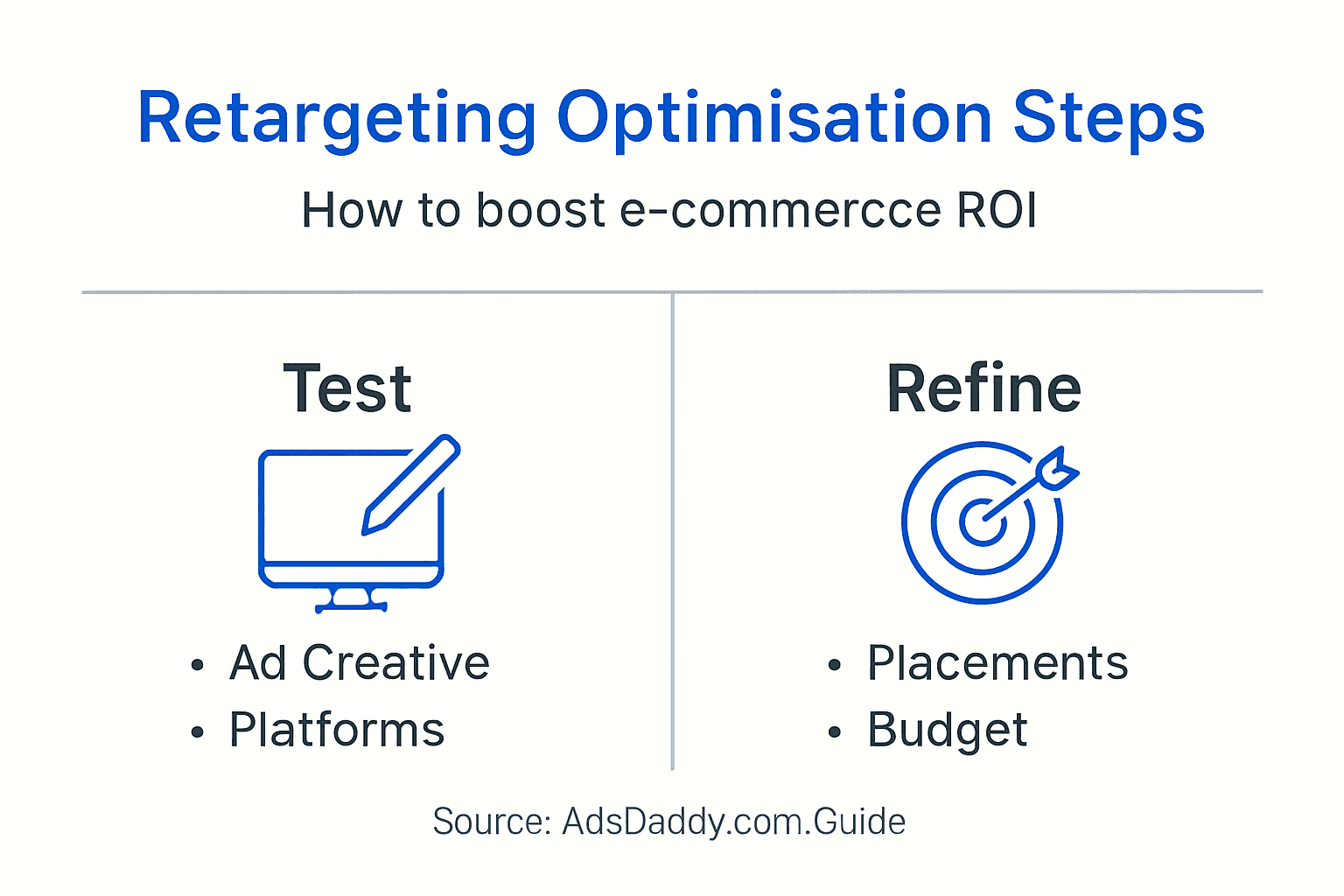 Start with **dynamic creative optimisation**. Instead of manually testing 20 ad variations, let your platform test them for you. Facebook and Google can automatically mix and match different headlines, images, and calls-to-action to find the winning combination. Set this up and let the algorithm run for at least two weeks before judging results. Here's where to focus your testing efforts: - **Image vs video**: Static images cost less but video typically converts better. Test both, measure, keep the winner. - **Copy length**: Short and punchy versus detailed and benefit-driven. Your audience will tell you which works. - **Calls-to-action**: "Shop now" versus "See details" versus "Claim offer." Small words, massive impact. - **Ad format**: Single image, carousel, collection, or dynamic product ads. Each performs differently by segment. - **Colour and contrast**: Bright backgrounds stop scrolls better than muted tones, especially on mobile. **Frequency capping** is your secret weapon against ad fatigue. If someone sees your ad more than five times in a week, they'll start ignoring it (or worse, getting annoyed). Set frequency caps so the same person doesn't see the same ad too often. Rotate your creatives to keep things fresh. Placement matters as much as creative. [Optimising ad creatives](https://adsdaddy.com/blog/optimising-ad-creatives-facebook-instagram-roi) across different placements means testing where your ads show. Desktop feed, mobile feed, Stories, Reels, Google Search, Google Display Network—each placement behaves differently. What crushes on Instagram Reels might flop on Google Display. > The winning formula is simple: test, measure, iterate, scale. Repeat until you can't squeeze out any more ROI. Start by running your best three creatives across all placements. After one week, kill the worst performer, add a new creative, and keep rolling. This continuous cycle of testing and refinement is what keeps your campaigns sharp. ***Pro tip:*** *Create a separate ad set for each placement rather than letting the platform optimise across all of them automatically. This gives you better visibility into which placements are actually driving conversions, so you can allocate budget where it matters.* ## Step 5: Analyse performance and refine strategies Launching a campaign is only half the battle. The real work happens in the analysis phase, where you find out what's actually working and what's bleeding money. Without this step, you're flying blind. Pull your core performance metrics at least twice a week. You need to know your **conversion rate** (how many people bought), **click-through rate** (how many clicked your ad), **cost per acquisition** (how much each sale cost), and **return on ad spend** (how much you made for every dollar spent). These four numbers tell you everything. Here's what to measure by audience segment: - **Conversion rate**: Is one segment converting better than another? If cart abandoners convert at 8% and browse-only visitors convert at 2%, you know where to focus budget. - **Cost per acquisition**: Which segment is most efficient? Spending £15 to acquire a customer is great if they spend £50, terrible if they spend £20. - **Return on ad spend**: Are you getting £3 back for every £1 spent, or £1.50? This tells you profitability instantly. - **Click-through rate**: Low CTR often signals creative fatigue or poor audience fit. Time to test new creatives. - **Cost per click**: Rising costs with stable or falling conversions means your audience is exhausted. Pause and refresh. You should use [data analytics to drive smarter campaign decisions](https://adsdaddy.com/blog/role-of-data-analytics-ads), not just vanity metrics. Too many marketers obsess over impressions or reach when what matters is whether people actually buy. Ignore the noise. Use this summary as a reference for essential retargeting metrics and what each reveals about campaign health: | Metric | What It Indicates | Action if Underperforming | |-----------------------|-------------------------------------|----------------------------------| | Conversion Rate | Effectiveness at driving purchases | Refine messaging or targeting | | Cost Per Acquisition | Efficiency of ad spend | Optimise bids, improve creatives | | Return on Ad Spend | Overall campaign profitability | Reallocate budget, test offers | | Click-through Rate | Creative and audience fit | Refresh ads, update segments | | Cost Per Click | Current audience engagement level | Rotate ads, adjust targeting | Once you've identified patterns, act on them. If one segment is outperforming by 40%, shift 30% more budget to it. If a creative's CTR dropped 25%, kill it and test something new. If cost per acquisition is climbing, tighten your audience targeting. > Data without action is just noise. Action without data is gambling. Set a weekly refinement rhythm. Every Monday, review performance, identify winners and losers, then make changes for the following week. This cadence keeps campaigns lean and efficient. ***Pro tip:*** *Create a simple spreadsheet tracking cost per acquisition and ROAS by segment week-over-week. You'll spot trends faster than checking your platform dashboard, and you'll have historical records to reference when planning future campaigns.* ## Unlock Your E-Commerce Potential with Expert Retargeting Support Struggling to turn visitors into paying customers despite your best efforts Retargeting is the key to winning back lost sales and boosting your ROI but it requires clear goals, precise audience segmentation and data-driven ad optimisation. The challenge lies in integrating tracking pixels effectively, crafting personalised creatives and continuously analysing performance without wasting budget. At AdsDaddy.com, we specialise in delivering expertly managed advertising campaigns that address these exact pain points. Using platforms like Facebook, Google and Instagram we implement strategic retargeting solutions tailored to your customer behaviour and business objectives. From setting up custom events to dynamic creative testing and frequency capping, our team ensures your ads reach the right audience with the right message to maximise conversions and reduce ad fatigue.  Ready to stop guessing and start growing your sales with proven retargeting strategies Discover how AdsDaddy.com can help you build winning campaigns that convert visitors into loyal customers. Visit our [digital marketing agency page](https://adsdaddy.com) now to get started and take advantage of expert support that delivers real results. ## Frequently Asked Questions #### How do I define retargeting goals for my e-commerce store? To define retargeting goals, clearly identify what success looks like—such as a specific increase in conversions or a reduction in cost per acquisition. Write down measurable goals, like aiming for a 20% increase in conversions from retargeted visitors within 60 days. #### What audience segments should I focus on for retargeting? Focus on three core audience segments: cart abandoners, past customers, and high-intent visitors. Each segment should receive tailored messaging that addresses their unique behaviours, helping to improve conversions and maximise return on ad spend. #### How can I set up tracking tools for retargeting effectively? To set up tracking tools, install a tracking pixel on every page of your website to capture visitor behaviour. Ensure the pixel is connected to your ad platforms and test it thoroughly to confirm it’s functioning before launching your retargeting campaigns. #### What types of ad creatives work best for retargeting? Focus on tailoring your ad creatives based on the audience segment. For example, show cart abandoners the exact product they left behind with a sense of urgency, while browse-only visitors should see best-sellers to spark interest in your offerings. #### How do I analyse the performance of my retargeting campaigns? Analyse key performance metrics, such as conversion rate, return on ad spend, and cost per acquisition, at least twice a week. Use this data to identify underperforming segments or creatives, and refine your strategies for improved ROI. #### What should I do if my retargeting ads are not performing? If your retargeting ads are not performing, start by refreshing your ad creatives and revisiting your audience segmentation. Test new messaging and visuals to engage your audience better, and consider adjusting budgets to focus on higher-performing segments. ## Recommended - [Master Ad Targeting Strategies 2025 for Superior ROI](https://adsdaddy.com/blog/ad-targeting-strategies-2025-boost-roi) - [Digital Advertising Best Practices for E-Commerce ROI](https://adsdaddy.com/blog/digital-advertising-best-practices) - [Improving Ad Performance Guide for Higher ROI Results](https://adsdaddy.com/blog/improving-ad-performance-guide-higher-roi) - [Conversion Rate Optimisation: Boosting E-commerce Sales](https://adsdaddy.com/blog/conversion-rate-optimisation-ecommerce)